Friday, May 31, 2013

Considering mouse gesture

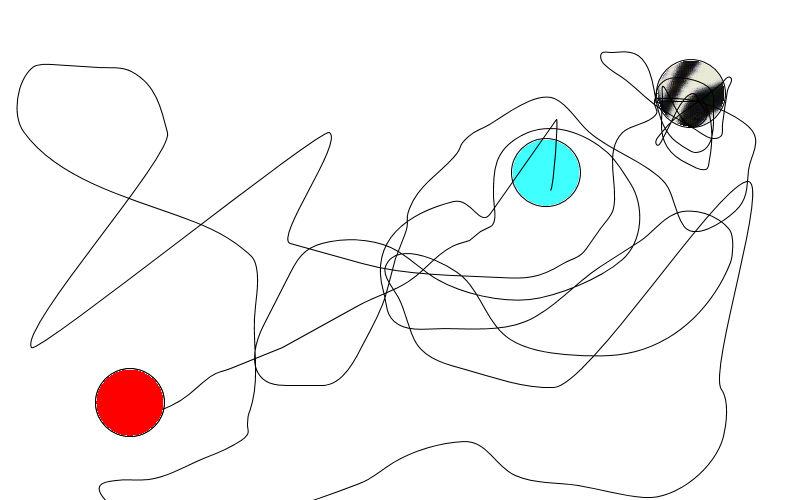
this is how to open explorer. just trace your way back to close it
When i am lazy, my body just dont have any power left to touch keyboard. so when i found software to recreate keyboard function from mouse gesture, i just feel rejuvenated. I think "wow its great idea", and now i can be as lazy as much as i want. but now come the trouble.
how can I configure it?
There is many mouse gesture software that set us a default move to replace certain keyboard keys.  The softwares also come with many types, from portables,  normal application or add ons.
But, what if we want to make everything from the very beginning? as an example of easystroke, one of mouse gesture software which i use in ubuntu, didnt give me any default move set. In another perspective, it is good since I dont have to learn something, but its not entirely good thing since I have to set the rule. But after a few test and so on, I got confused and have start to list what can I reconsider to make an easy mouse gesture
so here are few things that I consider
  • From simple to advanced. things going different when people who use stylus and another people who use mouse. movement restriction and hardware capability is counted. when the person use stylus, it mean they can make and do font-like gesture more easily than with mouse. but with mouse it doesnt mean people cant do that, it just will be much harder. 
  • Basic movement variation. Actually if you think carefully there are only few basic movement of a pointer. north, south, west, east, northwest, northeast, southwest and southeast, thats all. 8 very easy gesture to recognized by the application. if these gesture get paired with  with each other you now got 8 + 64 combination. a group of three would give you more 8 + 64 + 512. We also have to think about the similarities in these gesture that would decrease of combination. although some application browser have a lot of keyboard shortcut, a pair of gesture would do your job.
  • Meaningfull gesture. It still better to us to not remember it but understand how it made. I will made some comparison below from some software and what I have made.
  • Habit. After all the idea, which I consider now it is the question, does it all really important? I am now only have few mouse gesture on my application. but this gesture do almost the exact same thing on every application and this also train my muscle memory. So, its is just another egg or chicken question, do we have to set good mouse gesture or we can train ourselves for mouse gesture set by another people.
For another reference you can also see wiki article about pointing device gesture.

Tuesday, April 30, 2013

Chromium Extension


What extension do i have to install on my chrome/chromium?
  • adblock - read text not ads
  • autopage - keep click to next page to minimum
  • buffer - for better tweet scheduling
  • evernote - keep evernote on hand
  • grab y'all links - to copy all opened tab
  • hover zoom - see bigger image without clicking
  • last pass - ultimate password vault
  • nico helper - for niconico video to mp3 downloader
  • proxtube - watch blocked youtube in german
  • session manager - save tabs for later use
  • super sorter - keep bookmark sorted
  • tab sort - arrange tab on the fly
  • tab opener - open google reader entry 
  • the great suspender - suspend not used tab and save memory
Dont Forget to see my Computer FAQ on evernote for complete tips 

Tuesday, March 12, 2013

clean up digital file, 2013 personal note


Here is my list about what I do to make clean up my digital file this year :   
  • filter your gmail
  • keep your inbox empty
  • delete unnecessary duplicate file
  • bring your data online
  • use online notepad to archive
  • information diet
  • unsubscribe unnecessary feed
  • Create your own "Distraction" Account
  • program your own backup
  • install basic program
  • organize your bookmark
you can see the updated list on my FAQ COMPUTER in evernote. 

Or simple principles
  • DRY (Don't Repeat Yourself)
  • Do Less, Automate More
  • Discipline
Before I explain about my method to clean up, I have to apologize about something
  • I dont have the link to all original article.
  • Every person have their own need, and some may have to do a complete different things than what written here. 
  • And because of that this article may contain my own personal taste.
  • For another OS, you may have to search alternative software from what I have. I suggest you use  site like alternativeto.net
  • For advanced use of the software which I mentioned here, I suggest you read the software documentation.

Email filter example
  • filter your gmail (GOAL: 0 email in inbox)
    use filter for your email, so your incoming email will be given label, marked as read, archived or deleted automatically. searching google about email filter will give you a lot of tips about it. You may also have to some obligatory label like "account", "shopping", "newsletter", "family",  "friend", "study" and Work.If your inbox have 0 email, then congratulation you success the level 1 email management.  
  • keep your inbox empty (GOAL: STILL 0 email in Inbox)
    Here is the second level about your email inbox management. with filtering enable you should be more easier to do this. But you have to still control the filter your trash but with less frequency of checking your email before. If necessary you can edit, delete or make a new filter.  
  • delete unnecessary duplicate file
    For this one I use fslint. Not only checking for size comparison, this software can also search duplicate filename.
  • bring your data online
  • There is still some debate about privacy, law and so on. but remember rather having 2 type of backup is better than one. For this I use dropbox.com because its simplicity. I actually only backup my List of file  of my collection in hardisk, so I can download it if something happen to my hardisk.   


  • use online notepad to archive
  • This is where I learn my mistake a lot. Archiving paper isnt as easy as it look. I kept my writing, idea, story on scrap paper, but at the end I have no Idea which order, or what the original idea looks like. Thats why this time I use my evernote.com account to archiving my paper work. For more Idea about what you can do, see andrew c maxwell's posts about his first 100 and second 100 evernote use  


  • information diet
    Just like food, you cant process all the information in internet. It is just way over human capacity. Thats why you have to limit your information feed, starting with your social network. 
  • unsubscribe unnecessary feed
    This is the second stage of information diet. Just unsubscribe it. If necessary just quit it. Its your choice anyway. You can ask yourself, if I dont have this information, will the world end for me? Or I can just unsubscribe  (or quit) from this feed.
  • Create your own "Distraction" Account.
    This is like second stage alternative. If you think you cant unsubscribe your feed, create a new "Distraction" account. Just visit this account in your free time.
    In my experience this was success for me. In my "Distraction" account may be hundred of article waiting to be read.    
  • program your own backup
    You can use the free (or commercial) backup software, but when you want more you can program your own backup. Last Time I on Windows, I use Belvedere to automate moving and deleting my files. But when I am on Linux I see bigger potential on raw script especially on Python. there is many script in internet you can copy and create your own weekly backup program. It also double as your programming learning.  
  • install basic program
    In my friend's computer I use  ninite to install basic software . For people on linux this software is also can be your reference if you wan to install basic software in your computer
  • organize your bookmark
     There maybe need more additional post for this, but here are 2 quick tips: 

  • use super sorter chrome extension to sort and and find duplicate 

  •  use am-deadlink to check if page still exist.


  •  List of Software and internet service I used in this Article here

  • alternativeto.net - find alternative software
  • gmail - email 
  • Fslint - find duplicate file for linux 
  • dropbox.com - online storage
  • evernote.com  - online note
  • Belvedere - automate copy, move and delete file on windows
  • ninite.com - install and update windows software
  • Super sorter - chrome extension to sort and find duplicate bookmark
  • Am-Deadlink - check if bookmark still exist. 
  • Thursday, December 6, 2012

    tugas dan konsep vhdl Projekt (ps2 keyboard)

    Ini merupakan projekt vhdl saya di semester ini. tim kami diharuskan untuk merancang dengan vhdl sebuah sistem di mana input dari keyboard akan melalui FPGA ditranslate ke ascii code dan ditransfer ke computer melalui RS232. sebagai tambahan input dari keyboard ini juga akan ditunjukkan melalui 4 7-segment-display yg dipunyai oleh Fpga kami.

    Dengan pertimbangan tersebut kami membagi tugas ini menjadi beberapa submodul

    • kode translator
    • ascii to rs232
    • ascii to 7 segment display
    • frequenzteiler (pembagi Frequenz)

    Thursday, November 29, 2012

    konsep dan alasan open source projek

    Apa yang anda rencanakan dengan projek ini?
    Saya mempunyai bayangan untuk membangun sebuah perusahaan di mana pekerjaan nya dapat diikuti oleh masyarakat luas. Karena untuk itu saya dengan kemampuan saya sekarang ingin mencoba bagaimana misalnya kalau konsep ini saya mulai dengan studi saya di sini.
    Apa alasan anda untuk membikin konsep ini?

    Saya sendiri sangat tertarik dengan konsep transparansi yang diajukan oleh pasangan ini.
    Bagaimana dengan masalah bahasa?
    Saya sendiri sebagai mahasiswa indonesia yang sedang berada di jerman agak sulit memilih. sebelumnya pos pos saya selalu dalam berbahasa inggris. Setelah mempertimbangkan secara matang-matang saya memutuskan untuk memakai bahasa indonesia yang menjadi bahasa asli saya. bila anda yang menunggu pos di luar bahasa indonesia saya mohon maaf. bila saya mempunyai waktu dan peluang maka akan saya translate pos saya tidak hanya dalam bahasa inggris tapi juga bahasa jerman.
    dalam membuat pos berbahasa indonesia pun saya juga mungkin memasukkan kata-kata inggris dan jerman sehingga pembaca dapat belajar 1-2 kata dalam tersebut.

    Friday, October 7, 2011

    How to : Turn Autokey into super search application

    First make script for "search invoke" and "search". There are 2 ways "search invoke", user input or direct search. For user Input I use this script:


    result, text = dialog.input_dialog(title="Search", message="What do you want to search?")
    if (result == 0  and text != ""):
        engine.run_script("search")


    For direct search:


    text = clipboard.get_selection()
    if (text != ""):
        engine.run_script("search")


    Please note that the text in blue is the name of the "search" script. You also have to bind keys to this script. As an example I use "super" + "space" for user input and "super"+"shift"+"space" for direct search because my experience on Gnome-Do, where they use the same button. But you can bind it any keys, that you find more comfortable.
    The second part is the "search" script. The idea is actually pretty simple here. You have the text you want to search, you want to search that on the web and later your want web browser to open the page. Here is the default of my little super search application:

    #First part - Youtube search

    if(text[0:2]== "y "):
        text = text.replace(' ','+')
        system.exec_command("chromium-browser http://www.youtube.com/results?search_query=%s" %text[2:])
    #Second part - default 
    else:
        text = text.replace(' ','+')
        system.exec_command("chromium-browser http://www.google.de/webhp#q=%s" %text)   


    Now I can search on specific website. But to do that I have to put some code to put it at work. In this case, to search on youtube I have to write "y " first, then after that the text I want to search. For default I will use google search.
    These also some example of what it can do. Just copy paste it between first part and second part.

    #Update computer

    elif(text=="update"):
        system.exec_command("gksudo apt-get update && gksudo apt-get upgrade")

    #Open multiple website
    elif(text=="pack1"):
        system.exec_command("chromium-browser https://mail.google.com/mail/")
        system.exec_command("chromium-browser https://www.google.com/reader")
        system.exec_command("chromium-browser https://www.google.com/calendar/")

    #Tell time or date
    elif(text=="time"):
        date=system.exec_command("date +%T")    
        result, text = dialog.input_dialog(title="%s" %date, message="What do you want to search?")
        if (result == 0  and text != ""):
            engine.run_script("search")
    elif(text=="date"):
        date=system.exec_command("date +%F")    
        result, text = dialog.input_dialog(title="%s" %date, message="What do you want to search?")
        if (result == 0  and text != ""):
            engine.run_script("search")

    #Open application with our own keyword
    elif(text=="terminal"):
        system.exec_command("gnome-terminal")


    Please note that this code work if you have chromium browser. For another browser you have to change the word "chromium-browser" in the last line with another browser command.

    Tuesday, September 13, 2011

    How to : Recover forgotten password on windows

    Resetarea parolelor Windows Pictures, Images and Photos
    Good first two words
    Yup, as it said, don't panic. If this case happen to you this maybe the answer.

    Offline NT Password und Registry Editor


    I have already used it, and it works great. You can download on their main page here. Don't forget to read the walkthrough, here.

    Monday, August 15, 2011

    Misc : Ubuntu 11.10

    Another countdown Banner for Ubuntu 11.10 
    Ubuntu 11.10 days to go

    Saturday, August 13, 2011

    Customize Lubuntu part 1 : My personal customization for powerful, fast and comfortable OS

    lubuntu Pictures, Images and Photos
    My hope for low spec computer
    It is another hobby of mine to mess around with my OS, but in the end I got bored and want some light yet fast OS. Microsoft Windows is definitely no option and after some research it come down to Lubuntu. Here I will record of what I did for this new project. First part would be installing the Lubuntu desktop
    1. This is the most important step BACKUP YOUR DATA. 
    2. Clean the application. Psychocats have good command line for that here. You might also check other command or good tutorial from him. In this case if you not sure from which Ubuntu derivative you are coming, just combine all the command there. 
    3. After finish you get your new OS.
    But these step are only installation part. But as the title said
    customization for powerful, fast and comfortable OS
    Lubuntu default applications are great, but I need something more. So I have to research through a lot of package, change some setting and make some list of what I need

    • Jdownloader and Autokey. Both are my important applications.
      • For Autokey to autostart at the beginning, I simply change /etc/xdg/lxsession/Lubuntu/autostart (credit to this post here)
    • Find the alternative for Ubuntu software source. here I use Kpackagekit. Muon could be another alternative.
    • Install Kate, because I need some firepower on simple everyday text editing. Sorry Leafpad
    • Ubuntu Tweak is tool that you cant miss for this session. Since I need option from this application to change the default application for specific extension.
    • Install Browsers, Opera, Firefox, Chrome, Chromium. It seems overkill but it work. Put an exception to chrome, because it always need a lot of resource at the start of program. I may have to work without it. I already uninstall it and switch to chromium. Note for Opera, if it cant be installed from repository, you have to install from official website.
    • I just have Deadbeef and Audacious as the default mp3 player. But Deadbeef have this last.fm plugin, so I choose this as default mp3 player.
    • Same thing also happen by Gnome Mplayer to VLC
    • This would be difficult, Pcmanfm or Nautilus. Both are simply good file manager, but I prefer Nautilus. After installing Nautilus, you cant change 100% to it but I though of another way.
      • Change file manager shortcut from "pcmanfm" to "nautilus --no-desktop" 
      • edit /home/user/.config/openbox/lubuntu-rc.xml by change every "pcmanfm" command to "nautilus --no-desktop"
      • Download Nautilus script from g-scripts, another nautilus script site. I take this website because they have archiver-unarchiver which can replace default extract here option
    • XArchive and File Rollerare not a good file archiver application, and Q7z isnt working on lubuntu. My last choice come to Peazip. It is good application when you handle with CJK filename.
    • I install LxMenuEditor to arrange my menu
    Miscellaneous thing that I find when writing about this post
    • Calibre, a good ebook manager. If you have a lot of ebook this application will help you to sort them.
    • I also install Dropbox integration to nautilus.
    Things that cant be done with lubuntu
    • Easystroke or mouse gesture application in general is not supported on Lubuntu. I am still researching about this one. when I found a good application, I will report here. Another alternative is installing add on for every browser.
    For now I think thats all. My lubuntu is ready. If everything is worked as planned then maybe there will be no second part of this.

    Sunday, June 12, 2011

    Berlin Expedition part 2: first upload

    train station by foreturiga
    train station, a photo by foreturiga on Flickr.
    here is the first photo. this one is edited with hugin software. it was pretty easy to do it and you can make it too.
    download the software here
    the next photo hopefully will be up for the next month along with the expedition post along it.

    Via Flickr:
    taken at S-Bahn Beusselstrasse. it my first photo i uploaded on flickr

    Sunday, May 22, 2011

    Berlin Expedition part 1 : setting up

    longwalk.. Pictures, Images and Photos
    next time I will upload my own foto


    I got bored yesterday and I just got an idea about take a tour around Berlin. but the normal tour would be normal (obviously), so i take some rule and made my exploration of Berlin a special one.

    My target is actually all S-Bahn and U-Bahn in Berlin, because they are easy to find. So rule is that i have to walk from one Bahn to another one. no minimal amount of Bahn that i have to take for every play as long as they are integer and bigger than one. If i have reach a Bahn, then that Bahn will be my save point. i can continue my exploration from this Bahn with any transportation available and walk to next Bahn. It is actually pretty simple so anyone can try.

    while the exploration i will also take some photo and post them here.

    My arsenal for this project will my ultimate camera Kodak C913 silver, old lovely Nokia, Ipod shuffle 2GB, and my wallet.

    so the next problem is how i post here. For now i will use google map to show the route i have take. The photo will be uploaded in Photobucket, hope they have good online photo editor.

    Friday, April 15, 2011

    Misc : Ubuntu 11.04

    Here is the countdown banner for ubuntu 11.04
    The next version of Ubuntu is coming soon

    now I am excited to see the new ubuntu.

    Wednesday, March 2, 2011

    Misc : Blog note

    This blog is not dead, i am just busy with my real life and didn't give too much time on this one. I may add another post this month.
    in the meantime i also do some project on my holiday, you can follow it on my facebook page. the report and everything else will be back to here to be compiled and prepared for another project. see you next time.

    Saturday, December 25, 2010

    i love writing part two : online and offline solution for writing on pc

    writing Pictures, Images and Photos
    now for pc


    this is the second part of my project report and this time we will talk about tools. i am here to answer what do we use to make a good writing. some people would said that writing isn't about your tool but the content of your tool which is more important. but for me better tool for writing is needed as the addition for the enjoyment of writing itself. so let me list what i like to use for my great writing.

    this one is simple solution for working online. as the new google chrome OS come to the market i feel like i have to be used to the google docs as i can feel how to work on cloud computing. this also have another function as an collaborating tool. i have already tried it to make some project with my friend and it is awesome. but the down side of this tool is that you need Internet to do it and a google account . anything else is that google cant completely change is to replace the offline desktop office environment. if you have time you should also see another alternative like Zoho.
    this is another of my favorite. it it open source and almost like super tool you can use for making a great text work. since it also offline and you can install it on which ever OS do you have (windows, mac OS, and Linux). maybe majority would choose another alternative, Microsoft office, but it is your choice. another alternative would be this Abiword. Abiword would have smaller installation package and maybe more simple than two office environment i already mentioned
    one application that got on my favorite list recently. this software is almost same like libre office, but it have this feature that let you writing without distraction. another feature that i like is the typewriter sound. it little bit of oldies but actually funny and yet i love it. another alternative would be this online form like Pyroom or this one, Darkcopy.
    this one come with little size but huge function. perfectly build for taking a note and another small writing but important in unpredicted time. another plus point is that you can add useful plug in on this one. they various plug in and i recommend adding latex support for some one who need to write their mathematical function here. if you are on Ubuntu, tomboy note also support back up in Ubuntu one. the downside here is that tomboy only have limited text editor. you may need a bigger office environment like in Libre Office or Microsoft Office. The alternative is like Evernote.
    i didn't mean to write all my application here. but this is one of application i need to access all of that with speed typing. also with additional plug in you can do computer activity with writing, no mouse needed. you can also reach your browser and do some Internet activity with this one. a great software indeed if you lazy to use your mouse. the downside is that you still need to learn how to work with this for a while and you will how useful this one. another alternative for this one is google desktop.

    that what help me on my everyday life. i write this post using focus writer and upload anything with chrome. if you want more alternativ  software than this list you can also search on alternativeto, a website that i already mentioned on another post of mine.
    ps note: merry christmas and happy new year. wish for more writing in next year.

    Thursday, December 2, 2010

    I Love Writing part one : 13 demotivational background how to fight it

    Writing Pictures, Images and Photos
    one of essence of life


    This is actually one of the basic activity that human do when they are created. It help people to move civilization to our latest technology. For normal people they are starting learn to write on their elementary education, so for the majority of us we can actually write because some of this background. Little question for this, if someone can write, do they love to write?
    When i start this project i am now almost on my twenty. Before that i hate writing because these reasons:
    1. My writing was so bad that only i can understand it. Sometimes even i don't understand it myself.
    2. Everybody said my writing is so bad, that they believe my handwriting isn't one way of communicating.
    3. I thought it was useless activity that didn't produce any money.
    4. I don't have time for it. My time will better used for games to entertain myself.
    5. It is too much of a work. I can speak to give people my point.
    6. I need at least a pen and a book to start to write.
    7. My grammar was so bad that i need better medium than a text.
    8. I try to write some kind of text work but it failed.
    9. I don't have any idea about why i have to write or what do i have to write
    10. There is no class for writing, it also mean i have to go back to elementary education to improve my writing.
    11. I need big creativity to start writing.
    12. I am not on the age where i have to write too much.
    13. I don't know how to start this project.

    That is my reason before i started this project. Then after some motivation and life experience i can answer most of these.
    1. My writing was so bad that only i can understand it. Sometimes even i don't understand it myself. So try to write to yourself at first. When you don't i understand what you want to say to yourself, it mean you need some clarification about your idea. The cleanliness of some writing is relative. Some would say that your handwriting is so dirty that they can't recognize anything, but for me what people say about “bad handwriting” is that they didn't know the beautiful abstract pattern from the author. as time goes flow if you take some class on writing or just write more and improve yourself, it actually can help you to make you writing more beautiful.
    2. Everybody said my writing is so bad that they believe my handwriting isn't one way of communicating. this is one of those “believe” that you realize in your life. Try to ignore their “believe”. Their parameter isn't like yours. You have your own style. you can make it a magnificent mail server that will deliver thousand of your idea. you need now only some guidance to make it better and you can improve for it later.
    3. I thought it was useless activity that didn't produce any money. you don't need money to feel that writing is a great activity. It almost same as doing good deeds. Do you need money for it? NO, but from these both great activity you can get enjoyment and actually with writing you can make your head more clear. Another way to run out of problem without alcohol.
    4. I don't have time for it. my time will better used for games to entertain myself. have you ever heard about text game. It was interesting game where online people try to continuously write a story and always in the end they got some story with mixed genre. It was actually a great games and i enjoy it a lot. Sometime i even create for myself some kind of text game and write a great or just mixed text without any meaning. with these i entertain myself and my stress is gone. why don't you make for yourself a game where you can write a thousand word without worries about anything. maybe i will play it with you.
    5. It is too much of a work. I can speak to give people my point. how much of a work is writing actually and can speak replace the plus point of writing? I love to speak and sometime beside writing i also speak for my ideas. With only speaking you have to put more effort so that your idea will be supported. let me quote from my favorite show about this writing. “...Book (text) is a magic to give message through time...”. for me this quote mean that you can share the world your idea without time barrier through writing.
    6. I need at least a pen and a book to start to write. with our latest technology writing isn't only about a pen and book. Your handy, laptop, or your wall could be help to write. It give you also the impression of a clever modish person when you are writing. If you think you are embarrassing yourself when you are writing, just think think that you are a new Shakespear, or JK Rowling, or sir Arthur Conan Doyle that will create some kind of artwork that will shock the world. a little bit of imagination would give you some confident.
    7. My grammar was so bad that i need better medium than a text. it is such you can't explain the times you were writing or some kind of typos that people always do. it is natural. But you don't need to be some grammar expert to start this. Maybe . You don't have to write a medical journal here. a simple text explain about who you are or what do you like will do. only a few grammar needed in that.
    8. I try to write some kind of text work but it failed. failed is one step to success as people said. I find it a little bit of lame. But do you remember the passion when you are doing that? Do you enjoy the writing when you make that text work? if you can find in your memory enjoyment when doing this text work, than this failure is another little slope that will not stop you to make better one. after that maybe you will make a new text work where you can find more enjoyment like the last one with little bit of improvement that will produce a successful text.
    9. I don't have any idea about why i have to write or what do i have to write. “who am i?” that is a simple question that i can't answer it myself. Actually it pretty simple any idea will do. you don't need experiment, funny story, or great experience to start it. another question that i always asking is “what do i feel”. Every time i ask these little question, it give me a lot of idea. simply asking about anything around you will start the gear of idea. Just try it.
    10. There is no class for writing, it also mean i have to go back to elementary education to improve my writing. wow that is little bit of extreme. It feels like that i have to learn rocket science to drive a car. Put the useless hard work away and find a way to simplifying thing. There are many tutorial on how to write better better on Internet. if you cant find it or need more there is also thousand of book reviewing about writing. but remember if you do that without writing it also meaningless. if you cant find it after all, why don't write “book for writing” by yourself. i will buy it.
    11. I need big creativity to start writing. no, a pen and paper will do. many alternative also available about this. When you have it just start writing. Just like 9 put all your mind to it. writing, writing about anything maybe with some kind of help from your favorite music or your lovely snack will add great some boost. after that when you finish, you will not realize how much of writing you have done and maybe amount of snack that already gone. 
    12. I am not on the age where i have to write too much. there is not word “too young” or “too old” for writing. Any kind of people can do this. there are no limits to writing. no gender, race, skin or location. you can write as whoever you are.
    13. I don't know how to start this project. if you have interest about this project and want to start it by yourself, it would be a great. What i find the most important things you need to have (except your writing tool) is a simple motivation to keep you writing. “why i write?” is the most simple motivation search tool that will help you to motivate yourself.nothing is too late.

    In the end let me quote my favorite sentence
    Do not wait. The time will never be ´just right´. Start where you stand and work with whatever tools you may have at your command and better tools will be found as you go along.” Nap Hill


    Sunday, November 28, 2010

    I am spotting the web: dayzeroproject.com


    hallo and good day to you. today i want to recommend this great website. dayzeroproject.com
    somehow have the same meaning 
    no its all about 101 project on 1001 days. i think its reasonable, because it can motivate people. as they said:
    create a list of 101 you want to do in the next 1001 days
     it also mean you have more than 2 years to complete you wonderful goals and this website help you for it. what kind of help did they offer? actually its pretty simple. they help you to list some of goals and share it with the world. if you register you can see a thousand of goals. from there you can make it yours. your action to the goal here divided into 3 part. you can add that to your "to-do list" for a quick achievement, or add that to your "someday list" for your future reference and "i`ve  done this" if you have already done that. pretty simple right?
    this actually give you some rough imagination about what you want to do in your life. life with rich goal will giive you a lot adventure and challenge. it also wonderful if you can influence other people to do same thing and help them reach they goal.
    if you want to list you goal this website will help you and inspire you. so go and pick it.

    Sunday, November 7, 2010

    I am spotting the web

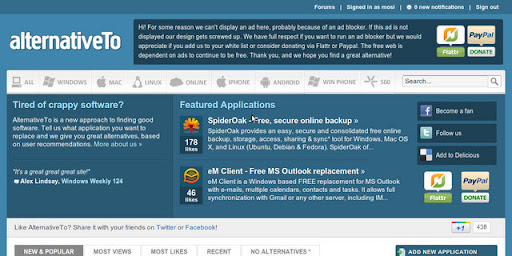
    hallo its me again. this week i dont have anything much to tell you. this kind of post will give you, which website that i frequently following. this time its is alternativeto

    the function of alternativeto is to give choice of alternative software you are using. the software first divide into few categories: windows, macintosh linux, ios, android, win phone, s60 and online. as you can see not only for computer but also with hp as well. if you cant find alternative software you want for you software you can register and add that into the website.
    its great website which i always visit to search my old os alternative software. enjoy and happy winter

    Sunday, October 31, 2010

    How to : solve resistor warming case mathematically

    A magnetic coil, which made from copper have constant voltage. In operation the temperature is going higher from 12 degrees Celsius to 60 degrees Celsius. How much percentage has the electric current changed by the warming of the coil?
    bonus. how much is the percentage of the resistor?
    What we know?
    voltage is constant
    This function about how to search resistor from a certain temperature

    = Resistor from temperature theta
    = Resistor from referenced temperature
    = coefficient from temperature which depend on the material
    = referenced temperature (in most case 20 degrees Celsius)


    what do we need to calculate


    okay here is the answer


    that is the way to search the resistor's percentage

    then move to electric current


    with that we can search for the percentage

    thats all. 19% change on resistor and 16% on Electric current.

    headfake from this post.

    • use Latex for this mathematic calculation
    • thanks to codecogs for letting me write latex on blogspot
    • i use lyx to get better view of what i calculate
    • it also give me another project about how to install latex plugin on Ubuntu

    Saturday, October 30, 2010

    Transfer Project 2010 part 4 : Final

    one of the best
    When you read this post, that mean another person on this world join with one of the best os in the world. 
    Anyway as you read this, my computer is running on ubuntu. one of the linux distribution, perfect for newbie just like me. backup is the time wasting part on this project. i have thousand unarranged file on my wubi and window xp and i have to move this on my external harddisk and maybe move it back to this computer.
    not only with file management, software and driver also give me more weight on this problem. i already tested new pro evolution soccer 2011 but it didnt work because my old computer spesification. next problem is also the setting on my cairo dock. i have make it from the very beginning. the last problem significant problem is the look of my ubuntu. i have already change the windows style and icons on appearance but because i forget how i change the appearance on my wubi, i didnt feel my new ubuntu look better than the last.
    what help me most on this project is internet. yes, internet. i dont need any other people to set up my computer or to ask, because i already have internet. luckily my place got a decent internet speed, so i dont get let down on this project. I warn you. if you want to change to ubuntu, you have to have a real computer management on everything. just like what software do you want to use? what must i need to do this or that? is there specific file that i need? if you can answer those question, there is still another question. so dont worry.
    migration process is quite a hastle but thanks for this post i can get it through. the command isnt always working so if you fail just copy it just like you always do. on my migration not all command cant work so did manual labor, file managemen through nautilus. the back on source is working but cant back up everything. make sure you read till the end, because there is a good comment about how to not download everything.
    on ubuntu i need few things from my old windows. just like my langenschiedt e-dictionary. its little bit tricky. what do you need is wine and q4wine. both is already on software center so just search this name. open q4wine and go to wine icon on setup tab. click 'install winetricks' to get list of essential windows application for wine. after that you have to search for 'vcrun2005' and click 'install'. after installation go to your langenschiedt folder, install the font on 'fonts' folder on  and run 'ew_lkg.exe' with wine. that should do the trick. that also work for byki. the step is almost the same but now you have to search for 'msls31', 'urlmon' and 'riched20' on winetricks.
    detailed explanation will be on another post. 

    ps note of the week dont microwave you chocolate-filled donut. it just doesnt work that way.